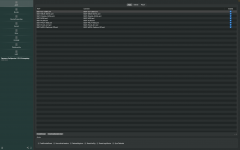
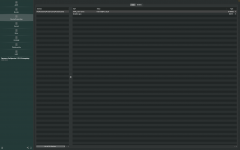
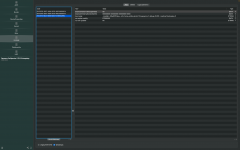
Hello everyone, can anyone suggest or let me know how can i fix this sleep issue i am having on my legion hackintosh build. Whenever i click on sleep it goes into a black screen and never recovers, the keyboard feedback is working as i hear the input sounds, but nothing else. i have been trying a lot but can't get it fixed. I was running on NootedRed v0.8.10. Then later i downloaded a more latest version(v0.9.0) from the actions tab and artifacts on github. Still nothing seems to work.
I have attached my config.plist and some screens for anybody's reference.
You have a couple of NootedRed boot arguments in your config, have you tried booting the system without these boot args?
You have disabled the USBMap.kext in your OC config.plist, why?
The commonest cause of sleep/wake/auto reboot issues on a Hack is a defective USB configuration or no USB kext.
Your Lenovo laptop has the following USB ports & devices:
Webcam (internal)
Bluetooth (internal)
3 x USB3 Type-A ports for a total of 6 x USB ports
Including 3 x USB2 virtual ports.
3 x Type-C 3.2 Gen 2 ports
depending on if these are Type-C with switch (9) or TYpe-C without Switch (10) will dictate how many physical and virtual ports will be available.
Type-C with switch ports will provide a physical Type-C port plus a virtual USB2 port.
Type-C without switch ports will provide 2 x physical Type-C ports plus 2 x virtual USB2 ports.
The way to tell the difference between the Type-C with switch and without switch is to do the following:
Insert a Type-C device in to one of the ports, USBMap script will highlight a specific USB port number. Make a note of this port number.
Remove the Type-C device, flip it 180° and reinsert it in to the same port.
If the same port number is highlighted, then it is a Type-C with Switch (9)
If a different port number is highlighted, then it is a Type-C without switch (10)
You will need to discover and enable all the USB ports and set them with the correct port connector to eliminate the USB configuration as a cause for the black screen/display won't wake issues.
This site uses cookies to help personalise content, tailor your experience and to keep you logged in if you register.
By continuing to use this site, you are consenting to our use of cookies.
Sure, ad-blocking software does a great job at blocking ads, but it also blocks some useful and important features of our website. For the best possible site experience please take a moment to disable your AdBlocker.