Need assistance adapting EFI for macOS Tahoe (Ryzen 9 7950X3D + RX 6900 XT)

hinkin

Member
AMD OS X Member
Jan 4, 2025
62
8
8
CPU:
AMD Ryzon 9 7950X3D
Hi everyone,

I’ve been trying for several days to get my EFI configuration working for macOS Tahoe on my system, but I haven’t had any success so far.

Hardware Configuration​

  • CPU: AMD Ryzen 9 7950X3D
  • Motherboard: Gigabyte X870 AORUS ELITE WIFI7
  • RAM: 64GB DDR5 5000MHz
  • GPU: AMD Radeon RX 6900 XT 16GB
  • Network: Realtek RTL8125B
  • Wi-Fi/Bluetooth: Fenvi T919 PCIe WLAN Card

I currently have a fully working EFI for macOS Sequoia, but I need assistance in adapting or fixing it so that it can properly install and run macOS Tahoe on this setup.
I’m sharing my current EFI folder for anyone interested in helping improve or create a Tahoe-compatible version.

Any help or suggestions would be greatly appreciated.

Thank you in advance!
 

Attachments

1. I only have Radeon GPU on board. 2. I have disable iGPU. 3, I have tested with and without whatevergreen. 4, I am using a recovery installer. 5. I am using the ethernet at 2.5gb.
 
neither A or B
Always Hang on apple?
Do you see after installer choice in the bootloader some text lines output before the "apple"?
Your Fenvi is on a pcie slot or you have mounted in motherboard place unmounting original wifi?
if you have on a PCIe slot, have you disabled internal wifi/BT from bios?
 
1. Always Apple with boot line only going halfway. 2. I dont see any text lines before the Apple. 3. Not using wifi only ethernet wired.
 
@PYLZNER with my last config you should see after the boot menu a bunch of text lines (usually called verbose output)
if you dont see this output, maybe you are booting from a different EFI
 
  • Like
Reactions: Edhawk
I just put in the first config u sent, I do see text before installer choice, no Apple, shows the prohibited symbol.
 
I just put in the first config u sent, I do see text before installer choice, no Apple, shows the prohibited symbol.
Always Hang on apple?
Do you see after installer choice in the bootloader some text lines output before the "apple"?
Your Fenvi is on a pcie slot or you have mounted in motherboard place unmounting original wifi?
if you have on a PCIe slot, have you disabled internal wifi/BT from bios?

1. Always Apple with boot line only going halfway. 2. I dont see any text lines before the Apple. 3. Not using wifi only ethernet wired.

I just put in the first config u sent, I do see text before installer choice, no Apple, shows the prohibited symbol.

let start better :)
post the efi you use to reach that apple hang
in this EFI i would try to add -v bootarg you missed in your config and then enabling the quirk to skip for now a proper MMIO whitelist

if you can put also in your signature your exact system you are trying to setp (hardware and OS)
it will more simple to remember for aged people as me, your hardware ;)
 
Asus Rog Strix X870A
AMD Ryzen 9 9950X3D
Radeon rx 6800 XT
G.SKILL Trident Z5 Neo RGB Series DDR5
ASUS Rog Ryujin III 360 ARGB
Samsung Pro 990 2TB
Samsung 980 500MB
Attempting to install Tahoe via Hackintosh


Attachments

Last edited:
If you like, from this EFI posted above, backup config.plist and change it with the attached one here
Asus Rog Strix X870A
AMD Ryzen 9 9950X3D
Radeon rx 6800 XT
G.SKILL Trident Z5 Neo RGB Series DDR5
ASUS Rog Ryujin III 360 ARGB
Samsung Pro 990 2TB
Samsung 980 500MB
Attempting to install Tahoe via Hackintosh

post the initial verbose line (i added in your bootarg -v to see those lines)

The EFI you posted has a MMIO whitlisted and it is different from initial config.plist you posted
So i hope this EFI you posted is really the one which allows to reach apple and middle bar loaded :)
 

Attachments

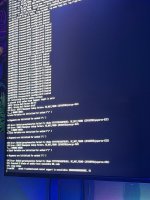
This is what it is showing
 

Attachments

  • WhatsApp Image 2026-06-01 at 08.25.53.jpeg
    WhatsApp Image 2026-06-01 at 08.25.53.jpeg
    224.6 KB · Views: 5
That screen image show 3 x ACPI errors - G02F, G002 & G027.

It means you need add 3 x ACPI patches to your config.plist to fix these issues. Which is a standard issue with all AMD AM5 Hacks.

You need to be aware that the patches for similar systems can be different from each other, due to different Bios versions being used. So do not assume that because you have some ACPI patches in your config that they are correct, even if they came from a user with a similar system.

Which Bios version are you running on your system?
Can you provide a copy of the ACPI tables from your system?

Guide for how to obtain the ACPI tables using OpenCore is provided below.

 
  • Like
Reactions: fabiosun
we are now in initial working point :)
problem is you must have your DSDT patches as said above from Edhawk and then CorpNewt or others skilled users coult build the right acpi patches for your Asus motherboard!
then that hang would be only a bad memories! :)
 
Here is a zipped copy of the OEM folder generated by @PYLZNER using Corpnewt's SSDTTime script.

FYI, don't use *.rar folders, use *.zip instead, as macOS natively supports the .zip format. We have to install a third-party app to open/decompress RAR folders.
 

Attachments

No.

I am hoping that @fabiosun will see the post, and copy it over on the AMD Discord server for CorpGhost to have a look and see if he can generate either a patched DSDT.aml or the relevant ACPI patches required for your system to boot the macOS installer.
 
o ok, I hope so too.
It's not that tough to do this yourself, CorpGhost aka CorpNewt is very responsive. Tag him in your post with the information above a brief description stating you believe you have ACPI issues that require patching. You'd need to create a Discord account of course but that's easy enough.
 
I started over, hoping I missed something with creating the EFI folder. Everytime I do, when I check with OC Validate there r 3 errors for No schema for HideVerbose at 3 index, context <Drivers>, would that be an ACPI issue?
 
  AdBlock Detected
Sure, ad-blocking software does a great job at blocking ads, but it also blocks some useful and important features of our website. For the best possible site experience please take a moment to disable your AdBlocker.