- Jul 16, 2023
- 4
- 0
- 1
- CPU:
- AMD Ryzen 7 3750H with Radeon Vega Mobile Gfx

So how can I get the file you are talking about,I'm a noob on a Black Apple installationFor those of us who don't read Chinese, here is a translation of the above post:
My CPU is AMD Ryzen 7 3750H, and the computer model is AUSU TUF game FX505DT_FX95DT. I follow the tutorial method, but it has been stuck here; what's more fatal is that I don't have a suitable EFI file, if there is a Please share the appropriate EFI file with me.
Please God help me.
The MacOS version is: Big Sur 11.7; dmg file is: macOS Big Sur 11.7 20G817 OpenCore 0.8.4 and CLOVER 5148 and FirPE installer
I put the EFI file in the attachment.
Thank you!!!
Thank you!!!
Thank you!!!
The system appears to be an Asus Laptop, with I believe an Nvidia GTX 1650 dGPU. So the dGPU needs to be disabled and the Vega built-in graphics processor used for all graphics processes in macOS, i.e. using NootedRed.kext and an SSDT to disable the Nvidia dGPU.
Error message appears to be the standard message when the SSDT's are wrong or missing and config.plist guide hasn't been followed correctly, i.e. is a mess.
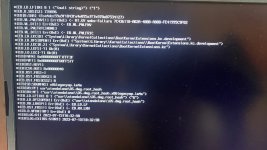
# Stuck on [EB|#LOG:EXITBS:START]
该系统似乎是华硕笔记本电脑,我相信是Nvidia GTX 1650 dGPU。因此,需要禁用dGPU,并将Vega内置图形处理器用于macOS中的所有图形进程,即使用NootedRed.kext和SSDT来禁用Nvidia dGPU。
当SSDT错误或缺失,并且config.plist指南未正确遵循时,错误消息似乎是标准消息,即一团糟。
发布您正在使用的OpenCore EFI的副本,以便我们可以看到您组合了哪些内容以及需要更改的内容,以便您可以在华硕笔记本电脑上安装macOS Big Sur。不要使用三叶草。
提供系统 DSDT.aml 的副本和指向笔记本电脑规格页面的链接会很有帮助。
生成 USBMap.kext 或 UTBMap.kext 是必不可少的。阅读并按照指南从下面链接的 Windows 中为您的笔记本电脑创建 USB 配置。
https://dortania.github.io/OpenCore-Post-Install/usb/intel-mapping/intel.html
遵循手册路径,而不是指南中的英特尔路径。
Well,I replaced the EFI file as you said,But it was still unsuccessful:Just a Apple logo lit up on the computer screen,No text is displayedWell that's a load of rubbish! You have two EFI folders attached above, with one contained within the other. Neither are going to work with your Asus AMD Laptop.
Provide a copy of your system DSDT.aml and I will see what I can generate for your system.
In the meantime you might want to try booting with this EFI.
If and when the system kernel panics, don't return here and tell me it didn't work. You need to provide a photo of the Verbose text that is shown on the laptops display, so we have a chance of fixing the error. Make sure it is a photo of the whole display, not just a part of the display.
I am assuming the following:
- You have created a macOS Big Sur installation USB, 12GB+ in size that you are using to boot/install macOS on your laptop.
- You are capable of mounting the FAT32 EFI partition on the USB installer, and can copy the EFI folder I provided to the root of the EFI partition.
- You will boot your system using the USB/OpenCore EFI and when you get to the OpenCore boot screen that you can press the Spacebar, which will unhide some tools.
- You are to select the ResetNvramEntry.efi tool, which will cause the system to reboot automatically.
- You will boot the USB again and this time select the icon to install macOS Big Sur.
I would recommend the following:
- Remove any other drives from the laptop, leave only the drive you intend to install macOS on to, i.e. remove your Windows/Linux drive.
- Remove any peripherals from the USB ports, so you only have the USB installer plugged in to the USB2.0 port.
- Ensure you are connected to the internet using an Ethernet cable, as your Intel WiFi/BT card may not work while you are installing macOS.