
Solved Unable to get past Apple Logo
- Thread starter iNerdGirl
- Start date
-
Hello Guest. Before you post check the Troubleshooting guide here, Dortania Troubleshooting
You are using an out of date browser. It may not display this or other websites correctly.
You should upgrade or use an alternative browser.
You should upgrade or use an alternative browser.
Looks like the modifications you made to the core counts in your kernel patches were incorrect. See if this helps.This is the log file from my last attempt
Attachments


Got me to a loading bar that didn’t load anything after 20 min. Here's the logLooks like the modifications you made to the core counts in your kernel patches were incorrect. See if this helps.
Attachments
Last edited:
Tried it, and got the same result. A black screen with an Apple Logo that wouldn't load anythingTry this revised OC EFI in place of your current one, see if it gets you booting Ventura.
Attachments
Do you see the Verbose text flash across the screen when you select the 'Install MacOS Ventura' icon on the OC boot screen, yes? The black screen occurs after the Verbose text has all passed/completed. This may indicate an issue with your RX 6900 GPU being initialised.
I would also recommend removing/disconnecting all the drives from your system, except the drive you plan to install macOS on.
The EFI folder below has been edited to include DeviceProperties for your RX 6900 GPU. See if this helps.
I would also recommend removing/disconnecting all the drives from your system, except the drive you plan to install macOS on.
The EFI folder below has been edited to include DeviceProperties for your RX 6900 GPU. See if this helps.
Attachments
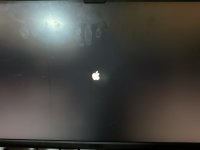
That is with the revised EFI, yes?
Did you disconnect all the other drives from the system before testing the new EIF.
Also it might be helpful to use the ResetNvramEntry, which is available on the OC boot screen, when you press the 'Spacebar'. Doing this will erase any old Nvram entries that may be held in the NVRAM, so the system only uses the entries in the current EFI folder when it next boots.
Did you disconnect all the other drives from the system before testing the new EIF.
Also it might be helpful to use the ResetNvramEntry, which is available on the OC boot screen, when you press the 'Spacebar'. Doing this will erase any old Nvram entries that may be held in the NVRAM, so the system only uses the entries in the current EFI folder when it next boots.


Tried setting to agdpmod=ignore and get to a loading bar that never loadsI'd also try setting agdpmod=ignore instead of pikera. This is what I use on my 6800.
Yes with the revised EFI, I’ve disconnected everything but the NVME drive, cleared NVRAM, and got to where the pic isThat is with the revised EFI, yes?
Did you disconnect all the other drives from the system before testing the new EIF.
Also it might be helpful to use the ResetNvramEntry, which is available on the OC boot screen, when you press the 'Spacebar'. Doing this will erase any old Nvram entries that may be held in the NVRAM, so the system only uses the entries in the current EFI folder when it next boots.
Attachments
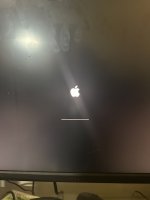
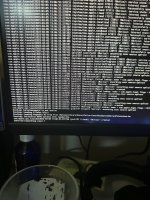

Reason you system won't connect to the Apple server is likely to be an issue with the Realtek 2.5GB ethernet kext in your /EFI/OC/Kexts folder & config.plist entry.
I added LucyRTL8125Ethernet-V1.1.0 kext to your OC setup, I can't recall if this kext works in Ventura.
That is the Ethernet controller in your motherboard, see the MB spec sheet linked below.

 www.gigabyte.com
I added LucyRTL8125Ethernet-V1.1.0 kext to your OC setup, I can't recall if this kext works in Ventura.
That is the Ethernet controller in your motherboard, see the MB spec sheet linked below.
B550 AORUS ELITE (rev. 1.0) Specification | Motherboard - GIGABYTE Global
Lasting Quality from GIGABYTE.GIGABYTE Ultra Durable™ motherboards bring together a unique blend of features and technologies that offer users the absolute ...