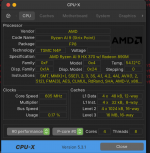
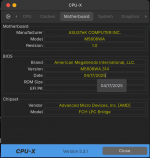
Unfortunately your laptop doesn’t contain a macOS compatible GPU. The Radeon 890M has no support in any version of macOS, so you are out of luck if you are looking to run macOS as a bare metal installation.
You may be able to run it as a Virtual Machine, check this guide for details.
*** First of all, don't make any changes to the vmware .vmx file. It is recommended that you create a new virtual machine from scratch so that it recreates this file by default and without any changes.
*** Use VMWare Workstation Pro version at the link provided in the tutorial. (If you install it, you will have to make a new Patch as described)
*** Enable AMD-V or INTEL VT (Virtualization Technology) in BIOS. (you should research how to do this on your machine)
1) First you need to download VMWare Workstation Pro:
Ok. But I can't install macos in Intel core i3 3d gen in esonic h61 motherboard with internal graphics but it show black screen when select UEFI opencore from bios. Fastboot and secureboot disabled. Any way to fix it?
This site uses cookies to help personalise content, tailor your experience and to keep you logged in if you register.
By continuing to use this site, you are consenting to our use of cookies.
Sure, ad-blocking software does a great job at blocking ads, but it also blocks some useful and important features of our website. For the best possible site experience please take a moment to disable your AdBlocker.