Can't install macOS Tahoe - Hardstuck in ACPI Exception: AE_NOT_FOUND

ralyfederis

New member
AMD OS X Member
Dec 13, 2025
5
0
1
CPU:
AMD 9800x3D
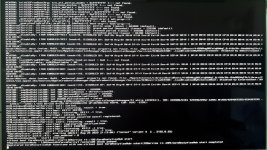
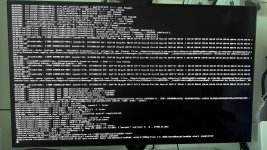
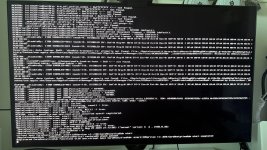
Hardstuck in ACPI Exception: AE_NOT_FOUND
sometimes Registered CoreAnalyticsHub functions with xnu.virtual
logs of pictures attached below

My pc specs:

CPU: AMD 9800x3D
Motherboard: ASUS ROG B650-A
GPU 1: ASUS ROG 5080 ASTRAL
GPU 2: AMD ASROCK RX6600 (conntected display port)
RAM: Kingston Fury 64GB 6000mhz

Bios settings
- Above 4G Decoding Enabled.
- Re-Size BAR Disabled
- Secure Boot Disabled.
- CSM Disabled.
- XHCI Hand-off Enabled
- SATA: AHCI

I'm using Opencore simplify and tried some different approach and still no luck.

Can anyone help me?
Thank you in advance!
 

Attachments

  • EFI.zip
    EFI.zip
    4.5 MB · Views: 10
  • IMG_1115.jpg
    IMG_1115.jpg
    3 MB · Views: 11
  • IMG_1116.jpg
    IMG_1116.jpg
    3.1 MB · Views: 10
up, i am still stuck here
 
Try the following:
  1. Physically remove the Nvidia GPU, during the installation process.
  2. Alternatively, add a custom SSDT to disable the Nvidia GPU in macOS.
  3. You have 2 x entries set to disable a GPU in the DeviceProperties > Add section of your config.plist, which is aimed at disabling the Nvidia card? Both IOReg Names look incorrect (too short) for a dGPU installed in the top x16 PCIe slot.
  4. Disable WhateverGreen.kext during the installation.
  5. Fix the mixup between your use of UTBMap.kext in your /EFI/OC/Kexts folder and the UTBDefault.kext entry in your config.plist.
  6. Order the kexts so Lilu.kext is in position '0' and VirtualSMC.kext is in position '1' in the Kernel > Add section of your config.plist.
Then try using ResetNvramEntry.efi from the OC boot screen, before you next try to boot macOS.
 
Try the following:
  1. Physically remove the Nvidia GPU, during the installation process.
  2. Alternatively, add a custom SSDT to disable the Nvidia GPU in macOS.
  3. You have 2 x entries set to disable a GPU in the DeviceProperties > Add section of your config.plist, which is aimed at disabling the Nvidia card? Both IOReg Names look incorrect (too short) for a dGPU installed in the top x16 PCIe slot.
  4. Disable WhateverGreen.kext during the installation.
  5. Fix the mixup between your use of UTBMap.kext in your /EFI/OC/Kexts folder and the UTBDefault.kext entry in your config.plist.
  6. Order the kexts so Lilu.kext is in position '0' and VirtualSMC.kext is in position '1' in the Kernel > Add section of your config.plist.
Then try using ResetNvramEntry.efi from the OC boot screen, before you next try to boot macOS.
Hi, Thank you for your comment.

I tried this and I can't still proceed to installation, same error, attached below

My updated EFI is attached.
I Also include the Report.json
 

Attachments

  • EFI.zip
    EFI.zip
    4.5 MB · Views: 0
  • IMG_1115.jpg
    IMG_1115.jpg
    3 MB · Views: 4
Try creating your EFI with Chefkiss and Dortania's guide
Hi, Thank you for your comment.

I haven't tried this one yet. I'll let you know once done
 
Try creating your EFI with Chefkiss and Dortania's guide
Hi, I tried this and it is still the same error

here's my updated EFI
 

Attachments

Hi, I tried this and it is still the same error

here's my updated EFI
Yeah, checked it, seems incorrect.

Enable Resizable BAR.

I also enabled DevirtualiseMMIO since it is required for AM5 platform. So you need replace your MMIOWhitelist content and generate with MMIOdevirt using OC logs with Auto-Enable entries based on size to <= 128MB enabled
I also added a few kexts.
 

Attachments

So when using these EFI folders and trying to install macOS Tahoe, have you physically removed the Nvidia GPU or not?

Have you tried generating the MmioWhitelist entries for your B650 motherboard? As without them you are not likely to get your system booting macOS.

Check this Dortania guide.


Couldn't see much difference between the EFI folders posted by @ralyfederis and @Astral420. an additional boot arg in ralyfederis's config.plist is all that separates them.
 
  AdBlock Detected
Sure, ad-blocking software does a great job at blocking ads, but it also blocks some useful and important features of our website. For the best possible site experience please take a moment to disable your AdBlocker.