Big Sur Beta 9

Heiko77

Member
AMD OS X Member
Jun 26, 2020
34
9
8
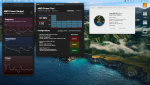
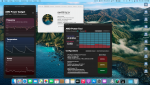
So tried installing update from beta 8 to beta 9. Worked without a problem or change.
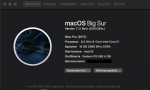
Screenshot 29-09-2020 20.26.37.png

Have fun !!!


Ryzen 5 2600
XFX Radeon RX580 GTS XXX 4GB
Gigabyte GA-AB350 Gaming 3
16 GB RAM
Samsung 970 Evo M.2
Opencore 0.61 + latest experimental kernel patches
 
My ryzentosh said "Download Failed" when I tried to update to Beta9, I don't know why.
 
I heard disabling secure boot can help with download/update.
 
My hack upgraded just fine, came here to check, just like I do with my xpenology box, before performing the update, and seems as long as you have the updated patches and secure boot disabled, it'll go smoothly.

Beta 8 showed a black screen for the final phase, but I heard the email sound and noticed the hdd light had stopped blinking like crazy, so did a blind reboot from terminal. Beta 9 didn't show this behaviour, it went through including a progress bar on the final phase with the time remaining. Must have been a one off glitch for beta 8.
 
Updated from 8 to 9 today, didn't even watch it happen :cool:. All good so far.

Screen Shot 2020-10-01 at 10.27.51 AM.png
 
The update from beta8 to beta9 went through without problems. The system runs very smoothly and stable.


Bildschirmfoto 2020-10-02 um 13.41.55.png
 
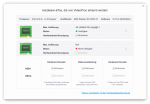
Beta 9 seems to have broken HEVC hardware encoding.
 
  • Like
Reactions: Fooose
this is correct!

Bildschirmfoto 2020-10-02 um 14.24.57.png
 
So tried installing update from beta 8 to beta 9. Worked without a problem or change.

View attachment 1424

Have fun !!!


Ryzen 5 2600
XFX Radeon RX580 GTS XXX 4GB
Gigabyte GA-AB350 Gaming 3
16 GB RAM
Samsung 970 Evo M.2
Opencore 0.61 + latest experimental kernel patches
Can you share your EFI Folder? Please
 
Last edited:
I heard disabling secure boot can help with download/update.

That did the trick for me too....and a trap for young players: "false" (doesn't work) is not the same as "disabled" (the correct setting) in config.plist :)
 
  • Like
Reactions: tony535
That did the trick for me too....and a trap for young players: "false" (doesn't work) is not the same as "disabled" (the correct setting) in config.plist :)

LOL I typed "Disable" save reset boom screwed up my OC boot loader wtf no no no. I used my USB to regain access then realized the word is "Disabled" everything good now 😁
 
Sorry, I can't speak English and the Goolgle Translator is not so good ...

Greetings everyone!
Where can I download Big Sur beta 9?
I am not able to download it on my Ryzentosh.
I appreciate anyone who can help me.

you can download it via gibmacos. Latest full installer is beta 6 as far as I know. If you’re on a running system, you’ll need a developer account or at least a tool for switching to developer channel. Just Google. You’ll find it
 
  • Like
Reactions: JuniLopes
Sorry, I can't speak English and the Goolgle Translator is not so good ...

Greetings everyone!
Where can I download Big Sur beta 9?
I am not able to download it on my Ryzentosh.
I appreciate anyone who can help me.
What language do you Speak?
 
Hello everyone!!
When will Big Sur be released?
When will patches(non-experimental) appear after the release?
 
Hello everyone!!
When will Big Sur be released?
When will patches(non-experimental) appear after the release?
I hope they will bring GM soon.
Non experimental will be released after or with final, I think. As far as Apple change things, Patches can be broke again. So stable patches will be come with final Big Sur.
 
  • Like
Reactions: Matroskin
I hope they will bring GM soon.
Non experimental will be released after or with final, I think. As far as Apple change things, Patches can be broke again. So stable patches will be come with final Big Sur.
Thanks for the answer! We wait and believe!)
 
  AdBlock Detected
Sure, ad-blocking software does a great job at blocking ads, but it also blocks some useful and important features of our website. For the best possible site experience please take a moment to disable your AdBlocker.