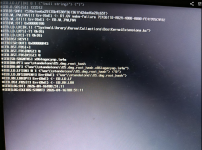
OpenCore wont boot

ideapadslim3_15arb8

New member
AMD OS X Member
Apr 16, 2026
1
0
1
CPU:
AMD Ryzen 5625u
i checked everything bios related, everything config.plist related and nothing :(

Lenovo ideapad slim 3 15abr8
-AMD Ryzen 5625u
-IGPU
-16GB ram
1776355925196.png
 

Attachments

Google Search said:
The Err(0xE) <- RT.GV wake-failure in OpenCore is primarily caused by incorrect AMD CPU kernel patches that do not match the specific core/thread count of the processor, or by UEFI/BIOS settings that conflict with macOS requirements.

On AMD systems, users frequently encounter this error during installation or boot when kernel patches are outdated or incomplete; for example, a Ryzen 5600 requires all four specific AMD kernel patches to be applied correctly, not just the first one. Updating the kernel patches to reflect the exact CPU architecture (using resources like the AMD Vanilla repository) and clearing NVRAM are the most common fixes for this issue.
That sounds like it has something to do with missing AML patches(in some cases, ACPI -> Add, ACPI -> Patch)
Though, i recommend checking for:
  • NVRAM variable access failure
  • NVRAM not persisting
  • broken Booter quirks
  • or for a corrupted NVRAM store

Check also if you specified the right core-count-value for your CPU Cores.
something like:

Note for Zen 4:​

Zen 4 (Ryzen 7000) requires patching for IOPCIFamily.kext.
This patch is enabled by default. Please ensure that you've added it to your current config for Zen 4 stability. This patch also allows MSI A520, B550, and X570 boards to boot macOS Monterey and newer.
The Core Count patch needs to be modified to boot your system. Find the four algrey - Force cpuid_cores_per_package patches and alter the Replace value only.

macOS VersionReplace ValueNew Value
10.13.x, 10.14.xB8000000 0000B8 < Core Count > 0000 0000
10.15.x, 11.xBA000000 0000BA < Core Count > 0000 0000
12.x, 13.0 to 13.2.1BA000000 0090BA < Core Count > 0000 0090
13.3 +BA000000 00BA < Core Count > 0000 00

From the table above substitute < Core Count > with the hexadecimal value matching your physical core count. Do not use your CPU's thread count. See the table below for the values matching your CPU core count.
Core CountHexadecimal
4 Core04
6 Core06
8 Core08
12 Core0C
16 Core10
24 Core18
32 Core20

So for example, a user with a 6-core processor should use these Replace values: B8 06 0000 0000 / BA 06 0000 0000 / BA 06 0000 0090 / BA 06 0000 00
- From AMD-OSX Vanilla on GitHub
As well:
OCS: No schema for New String at 0 index, context <Delete>!
OCS: Missing key All, context <Delete>!
OCS: Missing key Comment, context <Delete>!
OCS: Missing key Enabled, context <Delete>!
OCS: Missing key OemTableId, context <Delete>!
OCS: Missing key TableLength, context <Delete>!
OCS: Missing key TableSignature, context <Delete>!
Serialisation returns 7 errors!
Pretty much looks like some of those keys(or the whole config) are not properly formatted, which is kind of important(This was checked using OpenCore Configurator on macOS Sonoma, which i assume you haven't gotten to work on another laptop/pc yet)
Another note, i recommend changing the DmgLoading value from signed to any or disabled, as these allow you to load DMGs properly(which is only necessary on non-apple hardware as far as i know.)
as well as igfxonln being a Intel CPU/iGPU argument as far as i know(Which will probably cause issues with the AMD Radeon Graphics later on.)
(Another note, NootedRed is disabled on your config, which will probably cause issues, you can use WhateverGreen, but NR is more targetted to AMD CPU/APUs)

You do are missing the DSDT.aml file, Older systems used it--not sure if yours requires it, so it is worth checking--but, On newer systems they only need SSDT, so that one seems... fine
(Tho i am not fully sure of that, don't quote me on that one. also, you have an empty entry on ACPI -> Delete, which could cause issues, i am not sure about that one fully either)


Lenovo ideapad slim 3 15abr8
-AMD Ryzen 5625u
-IGPU
-16GB ram
I recommend googling specific patches for that CPU, the 5000U line of CPUs can be a bit picky(you also didn't mentioned which version of macOS where you trying to run, so we both are flying blind here...)

Example of a google search result you may get:
Google Search said:
macOS Sonoma on an AMD Ryzen 5625U (Zen 3 architecture) requires specific SSDT-CPUR.aml patches and kernel updates to function correctly. The standard AMD_Vanilla patches from GitHub must be updated to the latest version supporting Sonoma, which includes 22 kernel patches compared to the 16 used for Monterey.

Key configuration steps include:
  • SSDT-CPUR.aml: You must generate and install this file to handle CPU power management and core mapping for the 5625U.
  • Kernel Patches: Ensure the config.plist uses the latest patches from the AMD-OSX/AMD_Vanilla repository, specifically enabling the Shaneee mtrr_update_action patch while disabling the older algrey version.
  • Boot Arguments: Add agdpmod=pikera to boot-args to resolve potential black screen issues with AMD Radeon graphics, and consider revblock=media if using RestrictEvents.kext.
  • Secure Boot: Set Misc &gt; Security &gt; SecureBootModel to Disabled if installation or updates fail due to Secure Boot restrictions.

heavily recommend checking on:
- Dortania Guide - AMD
or on
- AMD Vanilla - GitHub


PD: I am not an expert on Hackintoshing, simply replying with what i have found so far, and google search results because i myself don't know how to explain things properly, highly recommend to listen to someone else's advices instead.
Since we don’t have the logs(and I can't really do a full EFI breakdown), I tried pointing out the most common critical blockers first so you have a starting checklist.
Once you gather more info (logs/macOS version/OpenCore Version), people here will be able to give much more precise help with those specific issues πŸ™‚
Try enabling OpenCore's Log Dumps(if you're using a recent version, you can save logs to the EFI Partition to review them after boot or after an error and see what broke.)
Try to generate some logs using This Guide from Dortania's site

Hope this helps, or at least points you to the right direction πŸ‘
 
  AdBlock Detected
Sure, ad-blocking software does a great job at blocking ads, but it also blocks some useful and important features of our website. For the best possible site experience please take a moment to disable your AdBlocker.