The next steps include but are not limited to the following:
Copy your working EFI folder to the hidden EFI partition on your macOS drive, so you don't require the USB drive when booting the system.
Under take USB configuration, so you have a working USBMap.kext that activates the USB ports/Bluetooth and Webcam in macOS.
Fix Audio, if built-in Realtek not working out of the box.
Fix Trackpad, if some functions not available. As this is a hack you may loose some trackpad functions that are available in windows. This should be expected.
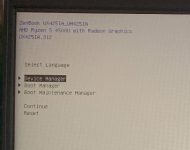
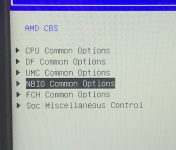
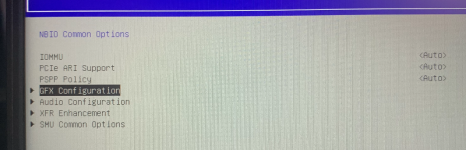
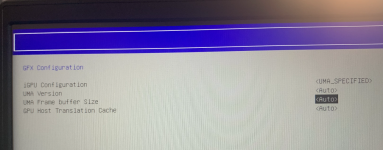
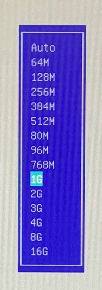
Fix VRAM allocated to AMD IGPU. Increase VRAM to 512MB as minimum, 1GB would be better.
Fix battery read-outs, if not already working.
Best place to read about how to deal with these post installation steps is the Dortania GitHub link below.
I would recommend you keep hold of your USB pen drive with the working EFI folder, i.e. don't overwrite or erase the drive. As it might come in handy down the road, when you are looking to change things and something unexpected happens, i.e. you can no longer boot to macOS with the EFI folder on the macOS drive.
Making a Backup/Clone of your MacOS drive is always advisable especially when changing things during the post install phase. I have lost count of the number of times I had to reinstall macOS because I borked the setup I was working on!
Hi! I just wanted to say a huge thank you for your help with building and fixing the EFI configuration. Thanks to your expertise, the laptop is running incredibly well now. We managed to stabilize the CPU temperatures (CPB fix), clear up the boot screen glitches. I truly appreciate your time, patience, and knowledge. Awesome job!
This site uses cookies to help personalise content, tailor your experience and to keep you logged in if you register.
By continuing to use this site, you are consenting to our use of cookies.
Sure, ad-blocking software does a great job at blocking ads, but it also blocks some useful and important features of our website. For the best possible site experience please take a moment to disable your AdBlocker.