[AMD 5800H ] USB becomes unavailable randomly after restarting the device

nesawong

New member
AMD OS X Member
Feb 16, 2025
2
0
1
CPU:
AMD 5800H
Device: Xiaomi
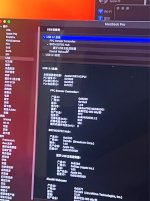
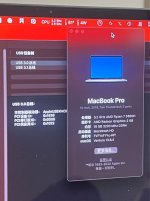
After restarting, USB becomes unavailable randomly, and the bus changes from 3.1 to 3.0, and there is no device below.
BTW, My device is working fine, including the camera, touchpad, volume, microphone and deep sleep, but the only imperfection is that the USB device is randomly unavailable after restart.
Of course, VDA decoding is not included here, and if you have the same device as mine, I'd be happy to provide the EFI and we can work together to solve this random reboot USB unavailable issue.
 

Attachments

  • 9081739727292_.pic.jpg
    9081739727292_.pic.jpg
    161.1 KB · Views: 6
  • 9111739727293_.pic.jpg
    9111739727293_.pic.jpg
    180.1 KB · Views: 5
  • 9121739727294_.pic.jpg
    9121739727294_.pic.jpg
    136.2 KB · Views: 6
  • 9131739727296_.pic.jpg
    9131739727296_.pic.jpg
    158.4 KB · Views: 6
Have you created a custom USB configuration for your laptop? If not then that is what is required to fix this random USB issue. Once you have a USBMap.kext or other USB configuration created and added to your OC setup, these random USB issues should stop.

If you have a custom USB configuration, I would recommend you look to see if any of the ports you have activated are set with an incorrect Connector Type. This is most common with Bluetooth and Webcam devices on a laptop, where they are set as USB2 with connector type (0) when they should be set as Internal with connector Type (255).
 
Have you created a custom USB configuration for your laptop? If not then that is what is required to fix this random USB issue. Once you have a USBMap.kext or other USB configuration created and added to your OC setup, these random USB issues should stop.

If you have a custom USB configuration, I would recommend you look to see if any of the ports you have activated are set with an incorrect Connector Type. This is most common with Bluetooth and Webcam devices on a laptop, where they are set as USB2 with connector type (0) when they should be set as Internal with connector Type (255).

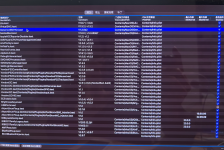
Yap, I know the importance of USBMap, but I use GenericUSBXHCI.kext to drive it. I have also used USB for customization, but the problem still occurs from time to time. I will try to customize it again and modify the kext order later to check.
 

Attachments

  • Snipaste_2025-02-18_01-12-40.png
    Snipaste_2025-02-18_01-12-40.png
    3.2 MB · Views: 2
Using GenericUSBXHCI.kext may mess up your USBMap.kext. You shouldn't need the GenericUSBXHCI.kext if your USBMap.kext is correctly configured.

You should not be using BrcmBluetoothInjector.kext and BlueToolFixup.kext together. Remove BrcmBluetoothInjector.kext or provide it with a MaxKernel entry of 19.99.99. Then provide BlueToolFixup.kext with a MinKernel entry of 20.0.0

You are missing two Broadcom Bluetooth kexts, BrcmFirmwareData.kext and BrcmPatchRAM3.kext. If you need kexts for your Broadcom BT module to work in Sequoia.

AMFIPass.kext needs to be version 1.4.1 for it to work in Sequoia.
 
  AdBlock Detected
Sure, ad-blocking software does a great job at blocking ads, but it also blocks some useful and important features of our website. For the best possible site experience please take a moment to disable your AdBlocker.